September 2026 edition
See what's new in Countfire
Takeoffs built faster, without cutting corners on accuracy. Here's what's shipped recently, and what's next.
Takeoff
Smart Select automatically names and organizes items.
AI trained on real takeoff data automates more of the admin, while you stay in control.
- Take your time back for the bid.
- See exactly what's been counted under each item.
- Start counting straight away.
Takeoff
Generate fittings automatically. Duplicate a system in one go.
The updates our mechanical users have been asking for, from automatic fittings to more accurate measures.
- Bends, tees, and reducers added as you draw.
- Add measures for drops and risers directly on the drawing.
- Copy and paste a whole system, instead of rebuilding it from scratch.
- Improved snapping for precise measures.
Also improved
Live zones
Quantities update live for the zone you're working in.
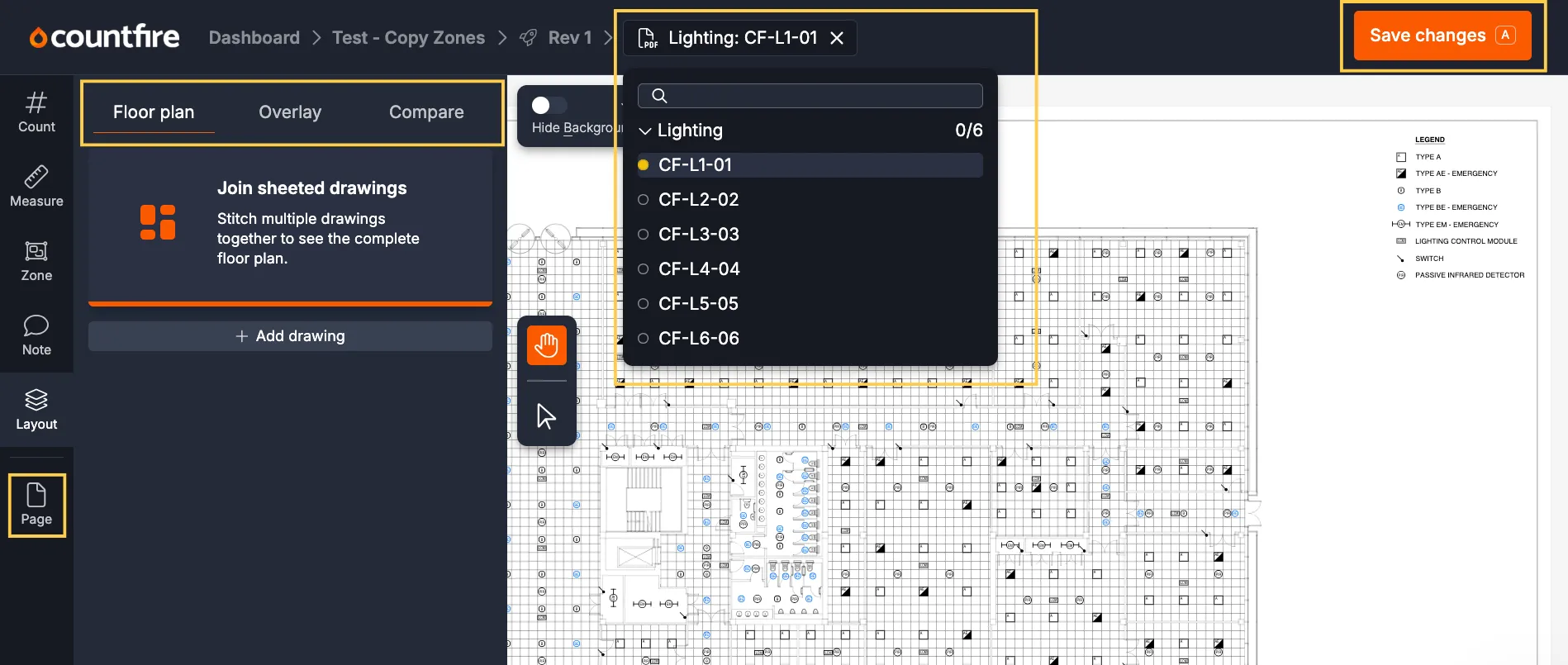
A clearer layout
Save moved to the top right, alongside new Layout and Page tabs.
Drawing selector
The drawing selector moved to the top, out of your way.
Copy zones
Copy zones moved into the Zones tab.
Coming soon
Here's what's shipping next. Stay tuned.
Whole-project organization
Upload a full project, and Countfire will find every drawing and sort them into the right disciplines.
Automatic legend takeoff
Mark the legend once, and Countfire will find and count every matching symbol across the discipline.
Try it for yourself
Smart Select and the latest Takeoff improvements, ready when you are. No credit card, no contract.