Win more work with Countfire Estimate
Give your estimating team a single, accurate platform for every bid. No spreadsheets, no version conflicts, and no missed costs.
Import takeoff quantities in one click
Automatically link prices from previous estimates
Structure estimates flexibly
Create client-ready bids
What is electrical estimating software?
Electrical estimating software helps estimators turn takeoff quantities into a priced, client-ready bid. Instead of building estimates in spreadsheets, you work in a purpose-built tool that handles the pricing, calculations, margins and formatting for you.
Estimating software automates the repetitive parts of that process and removes the formula errors that creep into spreadsheets, so your bids are faster to produce and easier to trust.
Countfire Estimate is built specifically for electrical estimators. It connects in one workflow to Countfire Takeoff, so quantities flow straight from your drawings into your estimate, and it prices items automatically using your previous work.
From Takeoff to Estimate in one click
Instantly import your quantities and get started on your estimate straight away, minimising manual tasks and getting you to competitive pricing faster.
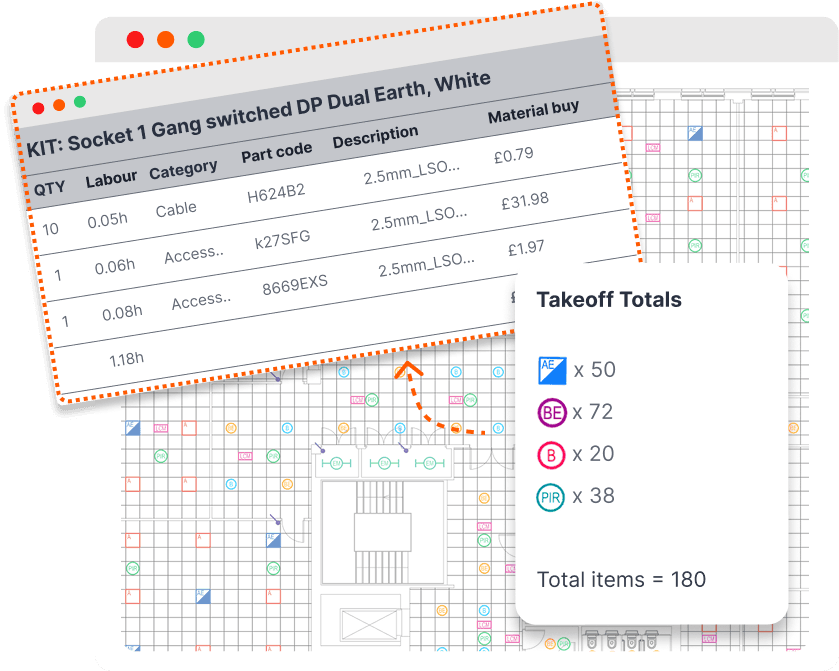
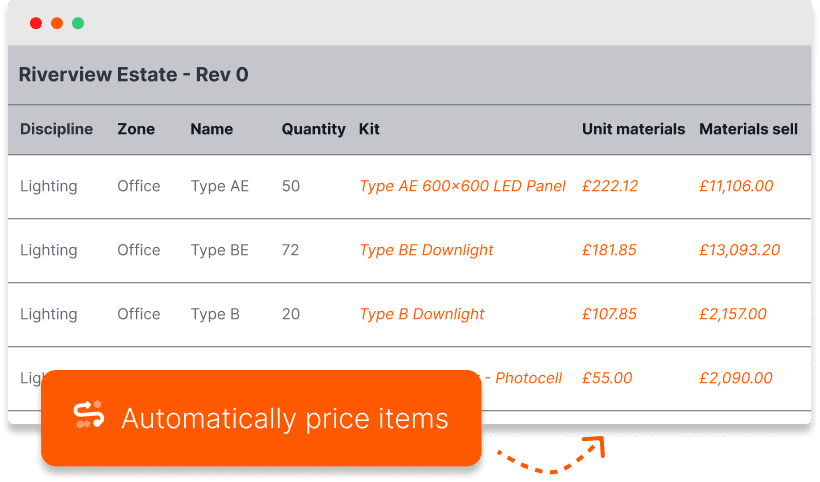
Automatically price your items using previous work
Let Countfire handle the repetitive tasks. Auto-populate prices based on your previous estimates, saving you hours on every quote.
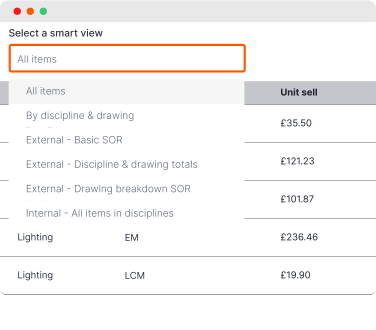
Built for flexibility to suit any pricing breakdown
Your estimate, your way. With customisable columns, filtering and grouping, you have full control to tailor the structure and workflow of every estimate.
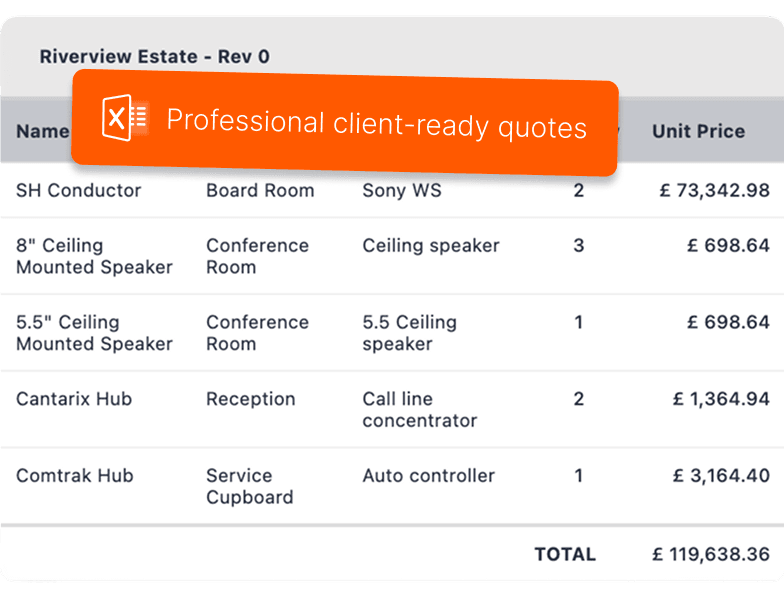
Deliver professional quotes you trust every time
Produce client-ready estimates in Excel with a full breakdown of quantities and costs to suit any client request.
Project drawings, takeoffs, and estimates in one place
Stay organised from start to finish. Streamline your workflow with everything in one secure platform.
Easily control your margins and tailor pricing to every project
Set, adjust and fine-tune profit margins with ease and add, or edit, individual markups on products.
Effortlessly collaborate with your team
Work together across multiple projects from any location. Project managers get full visibility, estimators stay in sync, and deadlines stay on track.
Say goodbye to messy, fragile spreadsheets
Replace disconnected spreadsheets with a shared platform every estimator works from. No more version conflicts, no more merged files.
Preconfigure your prelims
Automatically apply your set up costs to every bid giving you consistent, accurate estimates from the start.
Make changes any time
Countfire is cloud-based so you can come back to projects any time, even after the project is complete.
Frequently asked questions
Who is Countfire for?
Countfire is built for electrical estimators who price work from drawings.
Globally, our customers range from small contractors pricing a handful of tenders a month to large teams handling high bid volumes. Businesses like Design Lighting, CED Fort Worth and Lassiter Electric use Countfire to price work faster and with fewer errors.
If your estimates currently live in fragile spreadsheets, or your takeoff and pricing happen in two disconnected tools, Countfire is designed for you.
How to use electrical estimating software
Here's how a typical estimate comes together in Countfire:
- Import your takeoff quantities. Bring your counted quantities from Countfire Takeoff into your estimate in one click. No retyping and no copy-paste errors.
- Price your items. Countfire auto-populates prices based on your previous estimates, so recurring items are priced instantly. Adjust anything manually where a project needs it.
- Apply your prelims. Preconfigure your setup costs once and Countfire applies them to every bid, keeping estimates consistent from the start.
- Set your margins. Add or fine-tune profit margins across the estimate, or edit individual markups on specific products.
- Structure the estimate your way. Use customisable columns, filtering and grouping to match whatever pricing breakdown the client has asked for.
- Export a client-ready quote. Produce a final estimate in Excel with a full breakdown of quantities and costs, ready to submit.
Because it's cloud-based, you can return to any project at any time, and your team can work on estimates together from any location.
How can estimating software save me time?
Most of the time lost in estimating is spent on repetitive admin: retyping quantities from a takeoff, hunting through old estimates for prices, rebuilding spreadsheet formulas, and reformatting quotes to suit each client. Estimating software removes that layer of busy work.
The biggest savings in Countfire come from four places:
- No re-entry between Takeoff and Estimate. Quantities import in one click, so the gap between finishing your takeoff and starting your pricing disappears, along with the transcription errors that come with manual entry.
- Pricing that reuses your previous work. Countfire auto-populates prices from your past estimates. Items you've priced before are priced again instantly, which saves hours on every quote and keeps your rates consistent across bids.
- No spreadsheet maintenance. Formulas break, cells get overwritten, and errors hide until it's too late. Countfire automates the calculations, so you get reliable totals without checking formula chains before every submission.
- Prelims and margins applied automatically. Set up costs and markups are configured once and applied consistently, rather than rebuilt for each estimate.
The result is more tenders priced in the same working week, with less risk of the errors that cost you work or margin.
Streamline your entire estimating process
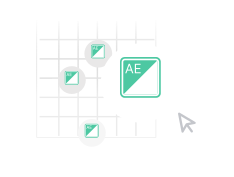
Count thousands of symbols in seconds
Count symbols across multiple PDF drawings as quickly and accurately as possible.
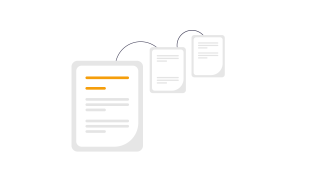
Instantly detect changes between PDF specifications
Side-by-side specification comparisons, so you can see what's changed at a glance.
Loved by customers
"Being able to spend less time and resources on this aspect of the job really helps us to keep our costs down and lowers our risk. We can focus our time better."
"Countfire is the biggest time-saving system we've ever implemented into our business."

Paul Williams
Eclipse Integration
"Game Changer. Saves more time than I care to count."

Ryan Beck
Winters Electrical
"Countfire is now a fundamental part of our estimating experience."

Matt Goodacre
MJLonsdale
"Countfire really helps - we know it's going to be accurate. The built-in checks are excellent and picked up everything."

David Leslie
Designplan Lighting
"The management team saw straight away that it was a great product which would save me time and enable me to focus on the other parts of my job. They were really impressed."

Chad Baumgartner
Graybar
"If my company were to pull the plug on Countfire, I'd pay for it myself - that's how valuable it is to me."

Ronan Carroll
Lucid Electric
"If you want something that is agile, accurate and is economical then you have to go with Countfire."

Eric Bronson
Anixter
"Countfire is extremely easy to use. It's quick, no wasted paper, and you've got records of what you've done."

Mike Tydd
ROC Group
"If we were counting up to 10 drawings a week previously as a team, I'd say we can now easily get 40 completed in a week in Countfire with only 4 estimators. That's a huge difference for us."

Craig Reid
Dextra Group
"We'll keep using Countfire as we grow. It's fast, reliable, and we know we can trust the results."

Eddy Tobaji
Adept Fire
"The training and support from Countfire has been exceptional and the time savings our teams have seen speak for themselves."

Travis Francher
Wachter