Trust your takeoffs on every drawing
Count, check and measure across a full set of drawings in one pass. Built for estimating teams working on the same tender.
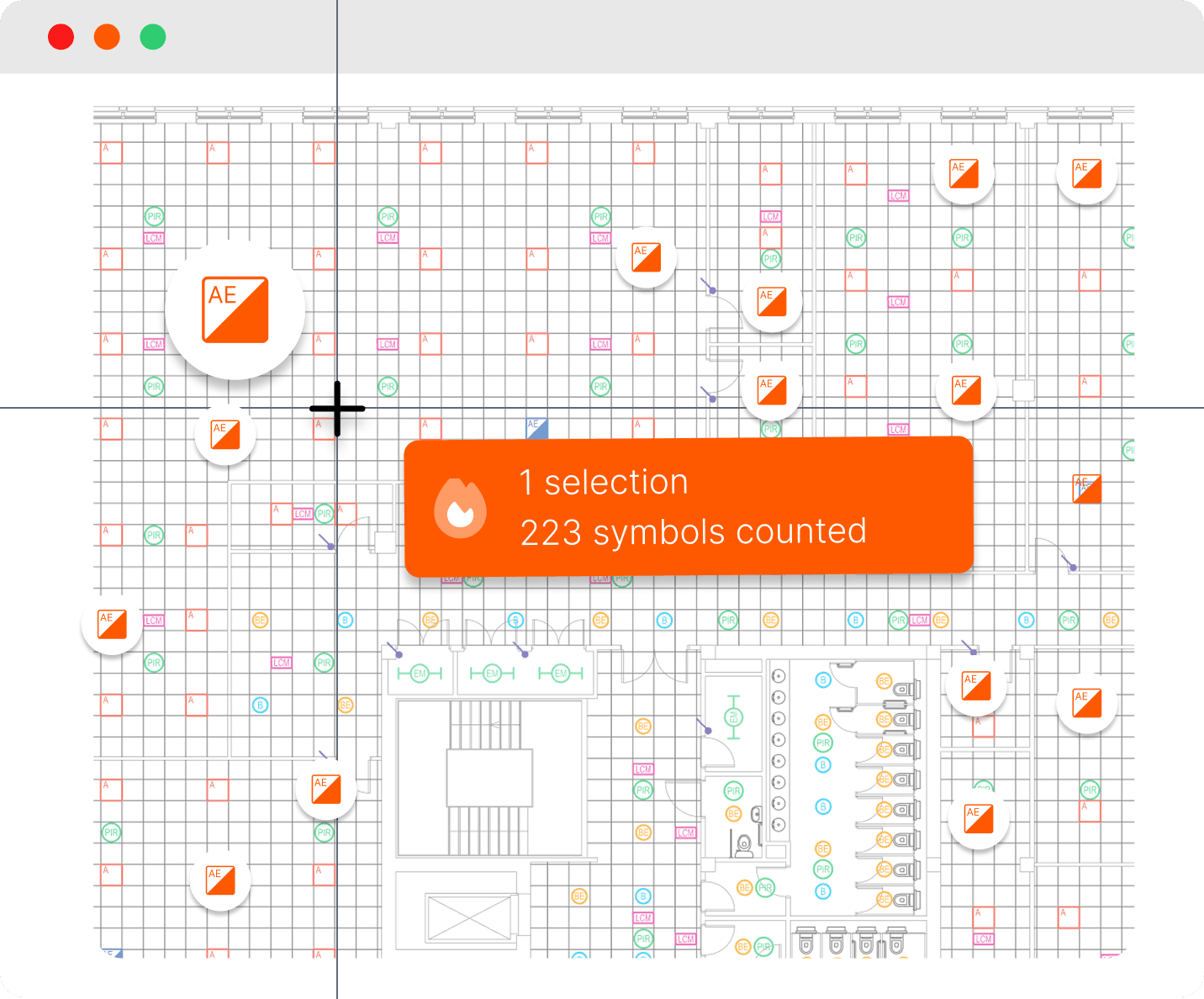
Thousands of symbols counted with one click
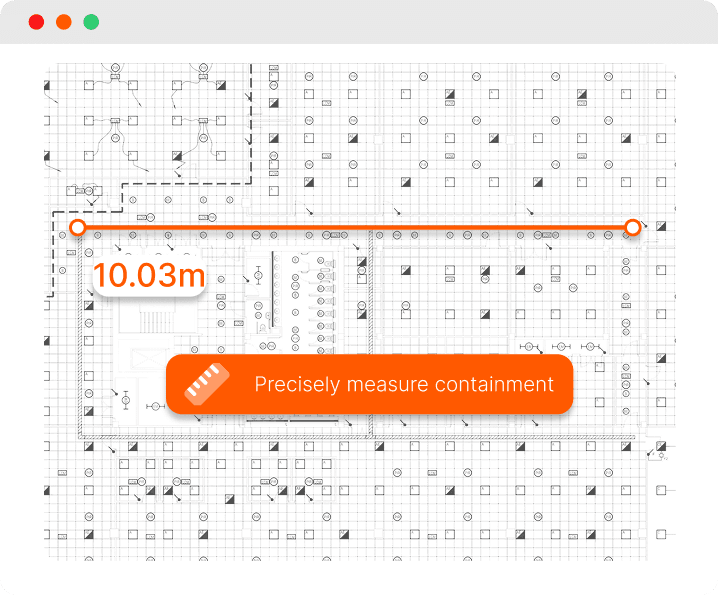
Precise measurements for accuracy
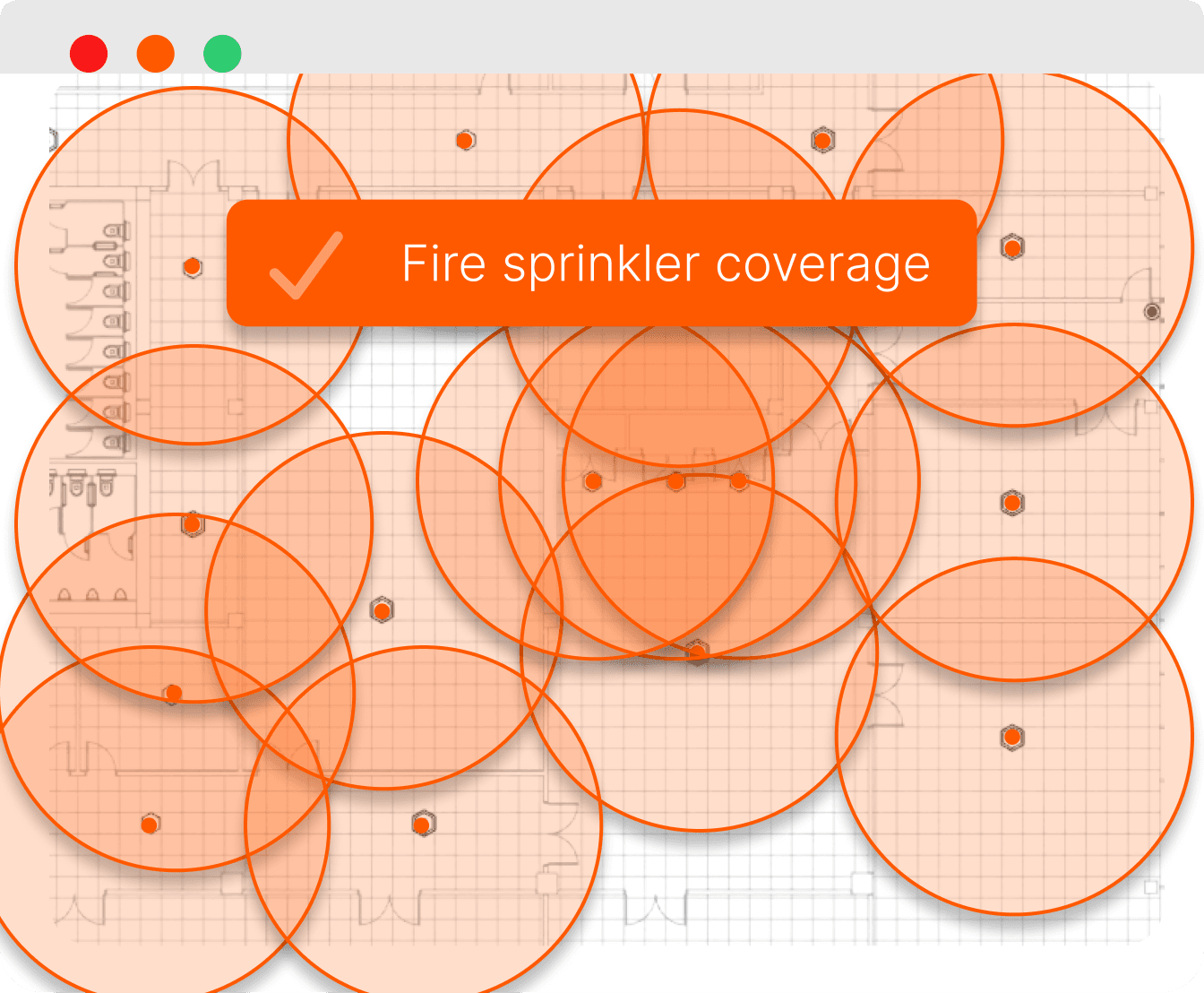
Instant coverage area visualisation
Share takeoffs across your team in real time
What is takeoff software?
Takeoff software lets you measure and auto-count everything on a PDF drawing digitally, instead of working through printed plans manually.
For electrical estimators, that means automating counting sockets, luminaires, containment, cable runs and equipment across a full drawing set, then turning those quantities into a priced estimate. Good takeoff software removes the repetitive counting work and reduces the risk of missed items, so you can price more tenders in less time.
Count thousands of symbols in seconds
Select a symbol once and Countfire finds and counts every match across all your drawings. Built on AI trained on real takeoff data, Smart Select names and organises each item for you.
Measure every run as it's drawn
Measure lengths as one connected run. Bends and tees are added automatically, while risers and drops are marked on the drawing. Snapping keeps every measurement precise.
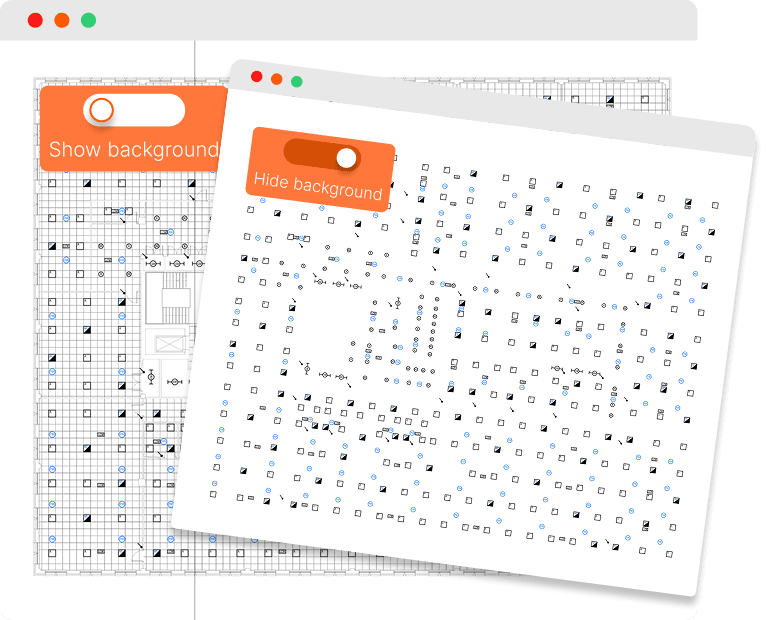
Hide distractions for a more accurate count
Switch off busy PDF backgrounds to reduce clutter on the drawing. As you count, items are hidden from view, leaving only what still needs counting so nothing gets missed.
Easily visualise coverage areas to ensure compliance
In-built coverage area tools check devices across your drawings and enable you to manually add new items where needed.
Ensure accuracy with in-built checks
Built-in quality checks ensure complete, accurate takeoffs. Giving you peace of mind.
Work with incomplete drawings
Handle incomplete drawings by adding symbols, editing selections, and managing false positives.
Overlay drawings and create floorplans
Easily overlay drawings from different disciplines and stitch them together to create a floor plan.
Add notes and bring clarity to your takeoff drawings
Create notes on your drawings to highlight details and share key information effectively.
Split quantities in your estimate by zones
Divide your quantities however you'd like by creating zones, even after you've finished counting.
Export your takeoff quantities into Excel
Create an Excel document with a full breakdown of every item in your takeoff.
Frequently asked questions
Who is Countfire for?
Countfire is built for electrical and mechanical estimators.
Globally, our customers range from small contractors pricing a handful of tenders a month to large teams handling high volumes of bids. Contractors including Safezone Electrical and Minlec use Countfire to take off full drawing sets in a fraction of the time manual counting takes.
If you spend hours clicking through PDFs counting symbols, or you're still working from printed drawings, Countfire is designed for you.
Built for various projects
Countfire handles takeoffs across the project types our customers work on most:
- Commercial: offices, retail and mixed-use developments with large, repetitive drawing sets
- Healthcare: hospitals and clinical settings where accuracy and audit trails matter
- Education: schools, colleges and university campuses with multi-building drawing packages
- Industrial and logistics: warehouses, manufacturing plants and distribution centres
- Residential: apartment blocks and housing schemes with repeated floor plates
How to use electrical takeoff software
Here's how a typical takeoff works in Countfire:
- Upload your drawings. Drag in the full tender drawing set as PDFs. There's no limit on drawing count, so upload everything at once.
- Select a symbol. Click one example of a symbol, a twin socket for instance, and Countfire finds every matching instance across all drawings automatically.
- Review the results. Countfire highlights everything it has counted so you can visually check the takeoff against the drawings. Anything missed or miscounted can be adjusted in a couple of clicks.
- Measure your runs. Take off cable, containment and pipework lengths with on-screen measurement tools, scaled to each drawing.
- Export your quantities. Send totals straight into Countfire Estimate or export to Excel, organised by drawing, zone or symbol type, ready to price.
Because the counting is automated, the time saved scales with project size. A drawing set that would take days to count manually can be taken off in hours, with a full audit trail showing exactly what was counted and where.
Why electrical estimators choose Countfire
Estimators tend to stay with Countfire once they've used it on a live tender. A few reasons come up again and again in reviews and case studies:
- Accuracy they can evidence. Every count is marked on the drawing, so checking a takeoff, or handing it to a colleague, takes minutes rather than hours.
- Speed on large drawing sets. Automated counting means the biggest, most repetitive projects are where Countfire saves the most time.
- Nothing to install. Countfire is cloud-based, so teams can work from anywhere and drawings stay in one place.
- Support from people who know estimating. Help comes from a team that understands electrical estimating.
Read our customer case studies to see how contractors like Minlec use Countfire day to day.
Handle drawing revisions with ease
Visually compare drawings. Quickly spot what's changed between revisions and stay on top of updates.
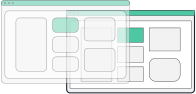
Count revised drawings. Reuse existing work to automatically count revised drawings.
Keep your whole team aligned
Share projects across estimators, assign drawings by zone or discipline, and give managers a live view of progress on every tender. Countfire's cloud-based platform means every estimator is always working from the same version.
Streamline your entire estimating process
Build flexible estimates directly from your takeoff
Speed up how you estimate, all in one secure cloud-based platform.
Instantly detect changes between PDF specifications
Side-by-side specification comparisons, so you can see what's changed at a glance.

Loved by customers
"The speed of their software in the takeoff element is top of the industry. No other software can compete on speed, accuracy and break outs of quantities."
— Michael Moran, Estimating Manager, William Farrell
"Countfire is the biggest time-saving system we've ever implemented into our business."

Paul Williams
Eclipse Integration
"Game Changer. Saves more time than I care to count."

Ryan Beck
Winters Electrical
"Countfire is now a fundamental part of our estimating experience."

Matt Goodacre
MJLonsdale
"Countfire really helps - we know it's going to be accurate. The built-in checks are excellent and picked up everything."

David Leslie
Designplan Lighting
"The management team saw straight away that it was a great product which would save me time and enable me to focus on the other parts of my job. They were really impressed."

Chad Baumgartner
Graybar
"If my company were to pull the plug on Countfire, I'd pay for it myself - that's how valuable it is to me."

Ronan Carroll
Lucid Electric
"If you want something that is agile, accurate and is economical then you have to go with Countfire."

Eric Bronson
Anixter
"Countfire is extremely easy to use. It's quick, no wasted paper, and you've got records of what you've done."

Mike Tydd
ROC Group
"If we were counting up to 10 drawings a week previously as a team, I'd say we can now easily get 40 completed in a week in Countfire with only 4 estimators. That's a huge difference for us."

Craig Reid
Dextra Group
"We'll keep using Countfire as we grow. It's fast, reliable, and we know we can trust the results."

Eddy Tobaji
Adept Fire
"The training and support from Countfire has been exceptional and the time savings our teams have seen speak for themselves."

Travis Francher
Wachter