Compare specifications without the stress
Keep your whole team working from the same spec. Countfire flags every change between drawings automatically, so no estimator misses a revision.
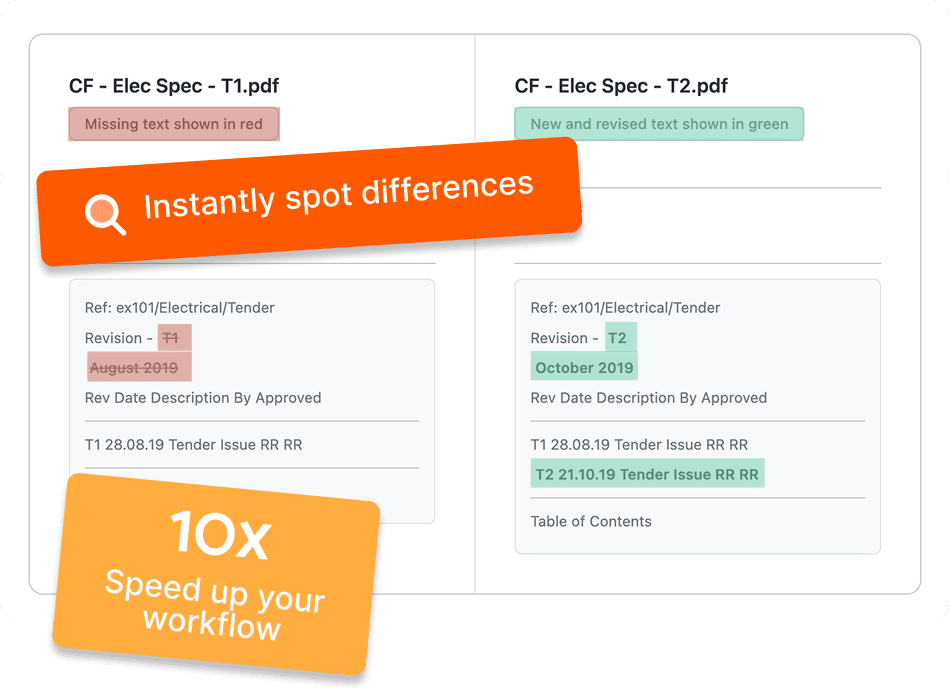
Instantly see what's changed
Save hours of manual time
React faster to client changes
Deliver accurate bids every time
What is a specification comparison tool?
A specification comparison tool automatically compares two versions of a PDF specification and highlights what has changed between them. Instead of reading both documents side by side and marking up differences by hand, spec comparison software scans every page and flags additions, deletions and amendments in seconds, so nothing gets missed when a client or consultant issues a revision.
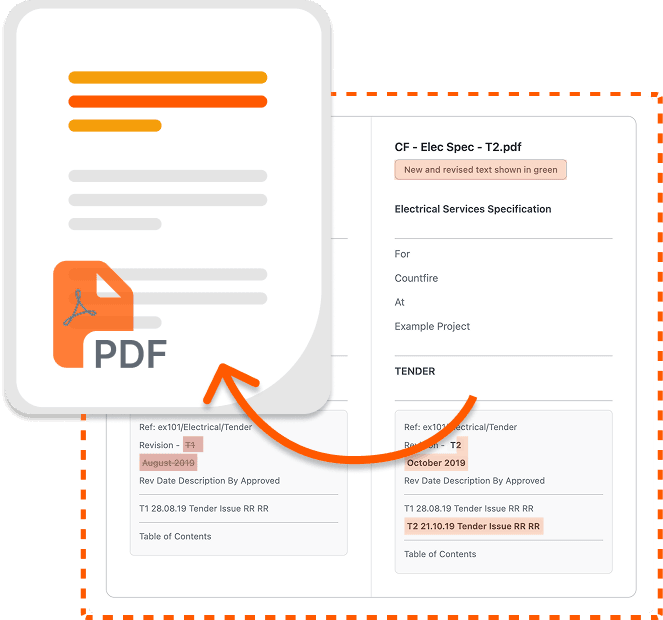
Countfire's spec compare shows every revision as colour coded highlights, making it easy to see what's new, what's changed and what's been removed between specification versions. You can save any comparison as a PDF, giving you a transparent record of changes to refer back to or share with your team, and helping you price from the latest specification with confidence.
Instantly see differences between specifications
Easy-to-view colour coded highlights show you what's new, what's changed, and what's been removed.
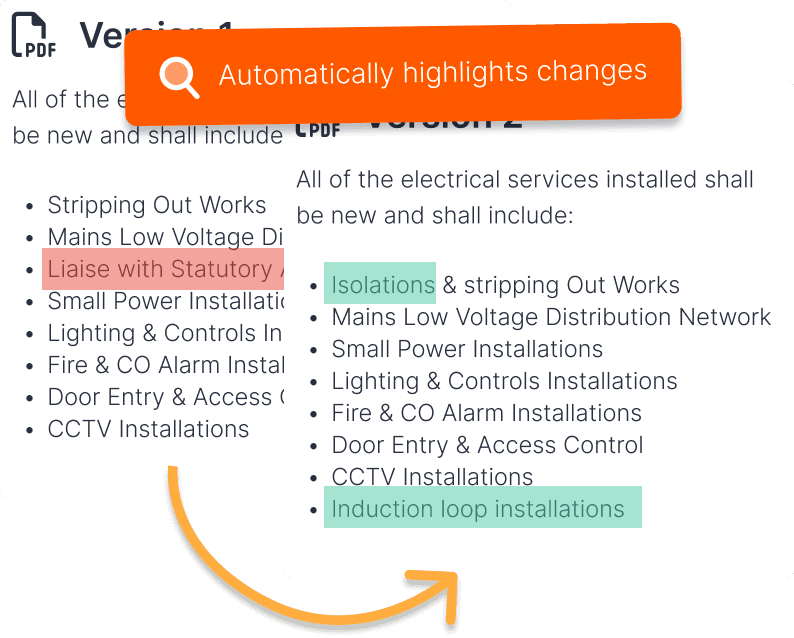
Respond to client changes, fast
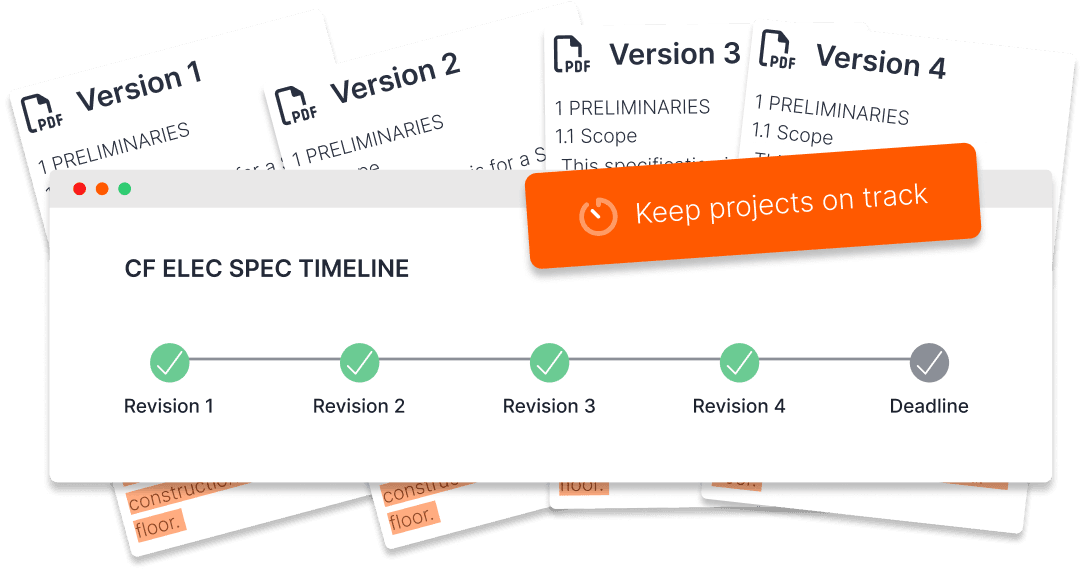
Spend less time searching through specifications trying to spot what's changed. Keeping your projects on track, even under tight deadlines.
Ensure accuracy beyond manual checks
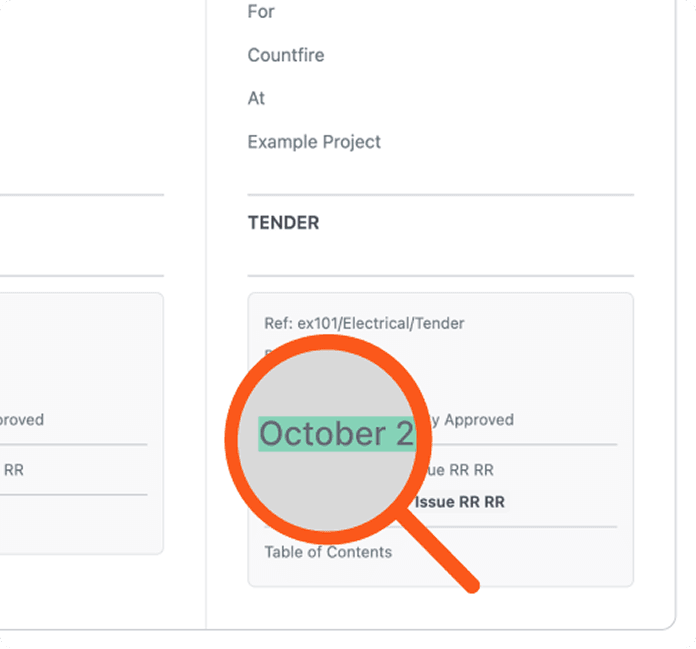
Automatic checks flag additions, deletions and amendments across every page, reducing costly errors and ensuring your bids stay accurate.
Keep a digital record of changes
Save comparisons as a PDF so you can refer back to changes and provide a transparent record of revisions.
Frequently asked questions
How does specification comparison work in Countfire?
Upload two versions of a PDF specification and Countfire compares them automatically, highlighting every addition, deletion and amendment with colour coded markup. There's no manual cross-referencing involved. You can review the differences side by side, then save the comparison as a PDF for your records.
Can I compare more than two versions of a specification?
Yes. Specifications often go through multiple revisions during a tender, and you can run a comparison between any two versions at any stage. This makes it easy to track how a specification has evolved and confirm you're pricing from the latest issue.
Why do estimators need spec comparison software?
Revised specifications often arrive with no summary of what's changed, leaving estimators to find the differences themselves. Checking manually is slow and easy to get wrong, and a single missed amendment can mean pricing the wrong materials or scope. Automated comparison removes that risk and frees up time for the rest of the bid.
Streamline your entire estimating process
Count thousands of symbols in seconds
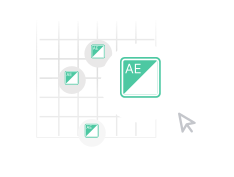
Count symbols across multiple PDF drawings as quickly and accurately as possible.
Build flexible estimates directly from your takeoff
Speed up how you estimate, all in one secure cloud-based platform.
Loved by customers
"The speed of their software in the takeoff element is top of the industry. No other software can compete on speed, accuracy and break outs of quantities."
— Michael Moran, Estimating Manager, William Farrell
"Countfire is the biggest time-saving system we've ever implemented into our business."

Paul Williams
Eclipse Integration
"Game Changer. Saves more time than I care to count."

Ryan Beck
Winters Electrical
"Countfire is now a fundamental part of our estimating experience."

Matt Goodacre
MJLonsdale
"Countfire really helps - we know it's going to be accurate. The built-in checks are excellent and picked up everything."

David Leslie
Designplan Lighting
"The management team saw straight away that it was a great product which would save me time and enable me to focus on the other parts of my job. They were really impressed."

Chad Baumgartner
Graybar
"If my company were to pull the plug on Countfire, I'd pay for it myself - that's how valuable it is to me."

Ronan Carroll
Lucid Electric
"If you want something that is agile, accurate and is economical then you have to go with Countfire."
Eric Bronson
Anixter
"Countfire is extremely easy to use. It's quick, no wasted paper, and you've got records of what you've done."

Mike Tydd
ROC Group
"If we were counting up to 10 drawings a week previously as a team, I'd say we can now easily get 40 completed in a week in Countfire with only 4 estimators. That's a huge difference for us."

Craig Reid
Dextra Group
"We'll keep using Countfire as we grow. It's fast, reliable, and we know we can trust the results."

Eddy Tobaji
Adept Fire
"The training and support from Countfire has been exceptional and the time savings our teams have seen speak for themselves."

Travis Francher
Wachter